A bakery in 2026 doesn’t just sell from a counter. You’re shipping cookie tins, taking Friday orders for Saturday pickup, and answering “is this gluten-free?” emails at 11 PM. A Facebook page can’t run a bakery anymore. That’s why so many owners turn to Shopify Bakery setups. Shopify is built for commerce, and bakeries sell things people order, ship, schedule, and gift. The match is closer than it looks.
This guide gives you the real answer: when Shopify fits a bakery, which sites do it best, and the setup work that actually moves sales.
Why Bakeries Choose Shopify
Short answer: Shopify treats your cookies, cakes, and brownies like real ecommerce products, not menu items in a PDF. That changes everything.
Each baked good gets its own page with photos, ingredients, allergen info, pricing, and add-to-cart buttons. You can group items into collections like “Birthday Cakes” or “Vegan Treats.” You can run promotions, take preorders, sell subscriptions, and sync everything with your physical counter through Shopify POS.
Here’s what Shopify does well for bakery operators:
- Online ordering with cart, modifiers, tips, and checkout that just works
- Local pickup built into the system at no extra cost
- Local delivery with delivery zones, fees, and minimum order rules
- Nationwide shipping for shelf-stable cookies, tins, and gift boxes
- Gift cards sold online and at the counter through Shopify POS
- Subscriptions for cookie clubs, monthly cake boxes, and pantry items
- Catering and corporate gifting through preorder pages and bulk SKUs
- POS sync so dine-in, takeaway, and online orders live in one place
Real bakery brands prove this works. Lola’s Cupcakes runs 40+ locations with click-and-collect lockers and a loyalty program built on Shopify. Konditor sells London cakes by delivery type and ties it all to Shopify POS. Sweet E’s Bake Shop moved from pen-and-paper to Shopify POS and saw repeat orders climb.
When Shopify Isn’t the Right Fit
Shopify isn’t a full restaurant operating system. If you mainly need table bookings, kitchen display systems, or split checks for dine-in service, Shopify alone won’t cover you. Most bakeries don’t need those features anyway. But if your shop runs more like a café-restaurant, you may want to pair Shopify with restaurant-native tools or pick a different platform for the dine-in side.
For a typical bakery, the answer is simple. If you sell things people can pick up, deliver, ship, or gift, Shopify is one of the strongest options available.
How to Set Up a Shopify Baking Product Page
A pretty bakery website with weak product pages won’t sell. The product page is where the order happens, so this is where most of your setup work should go.
Strong Shopify baking products pages do three jobs at once. They make the customer hungry. They answer doubts. And they remove every reason to hesitate.
Start with the Name
“Cookie #4” tells nobody anything.
“Salted Brown Butter Chocolate Chip Cookie – 4 Pack” tells you the flavor, the format, and what’s in the box. A good name helps customers scan your collection page. It also helps Google understand what you’re selling.
Get the Photos Right
Bakery sales live and die on photography. Customers can’t smell or taste your product, so the images have to do the work.
Aim for four shots: a clean photo on a plain background, a close-up showing texture, a packaging shot so people know what arrives at their door, and a lifestyle photo of the product in use.
Compress every image before upload. Write file names like chocolate-chip-cookie-4-pack.jpg, not IMG_4521.jpg.
Write a Description That Sells
Skip the flowery openings. Customers don’t want “Indulge in our handcrafted delights.” They want to know what they’re buying.
Tell them what it is in one plain sentence. Describe the flavor and texture specifically, like “crispy edges, gooey center.” Say what’s included and what it’s best for.
Two short paragraphs are enough.
Show Ingredients and Allergens Clearly
This is where most bakery pages fail. Customers with allergies or dietary needs won’t buy from a page that hides this info.
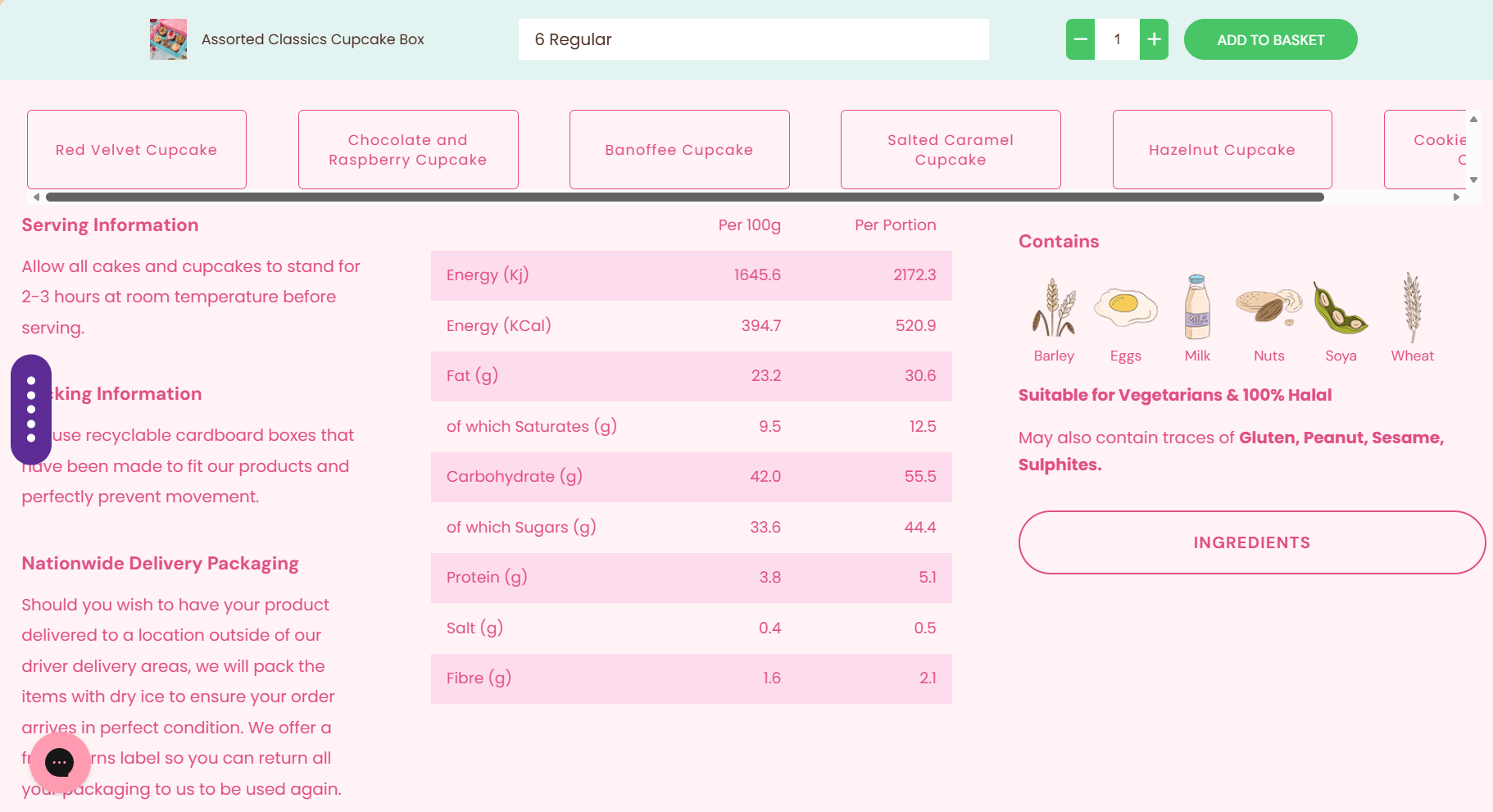
Shopify bakery product page example from Lola’s Cupcakes
Show the full ingredient list in plain English. Add a clear “contains” line for major allergens like milk, eggs, wheat, and nuts. Include a cross-contact note if you bake in a shared kitchen.
Don’t hide this in a footer accordion. Put it where customers can see it before they click buy. Sweet E’s Bake Shop does this well and it’s worth studying.
You can store this data in Shopify metafields so you don’t retype it on every product.
Set Freshness and Shipping Expectations
Customers worry about two things when ordering baked goods online. Will it arrive fresh? How long will it stay good?
Answer both right on the page. “Ships Monday to Wednesday to avoid weekend holds.” “Store at room temperature for 3 days or freeze for up to a month.”
The clearer you are, the fewer refund requests you’ll handle later.
Add Pickup and Delivery Options
If you offer local pickup or delivery, let customers pick a date and time on the product page, not at checkout.
Shopify’s built-in pickup works for simple cases. But most bakeries need more control over slots and cutoffs.
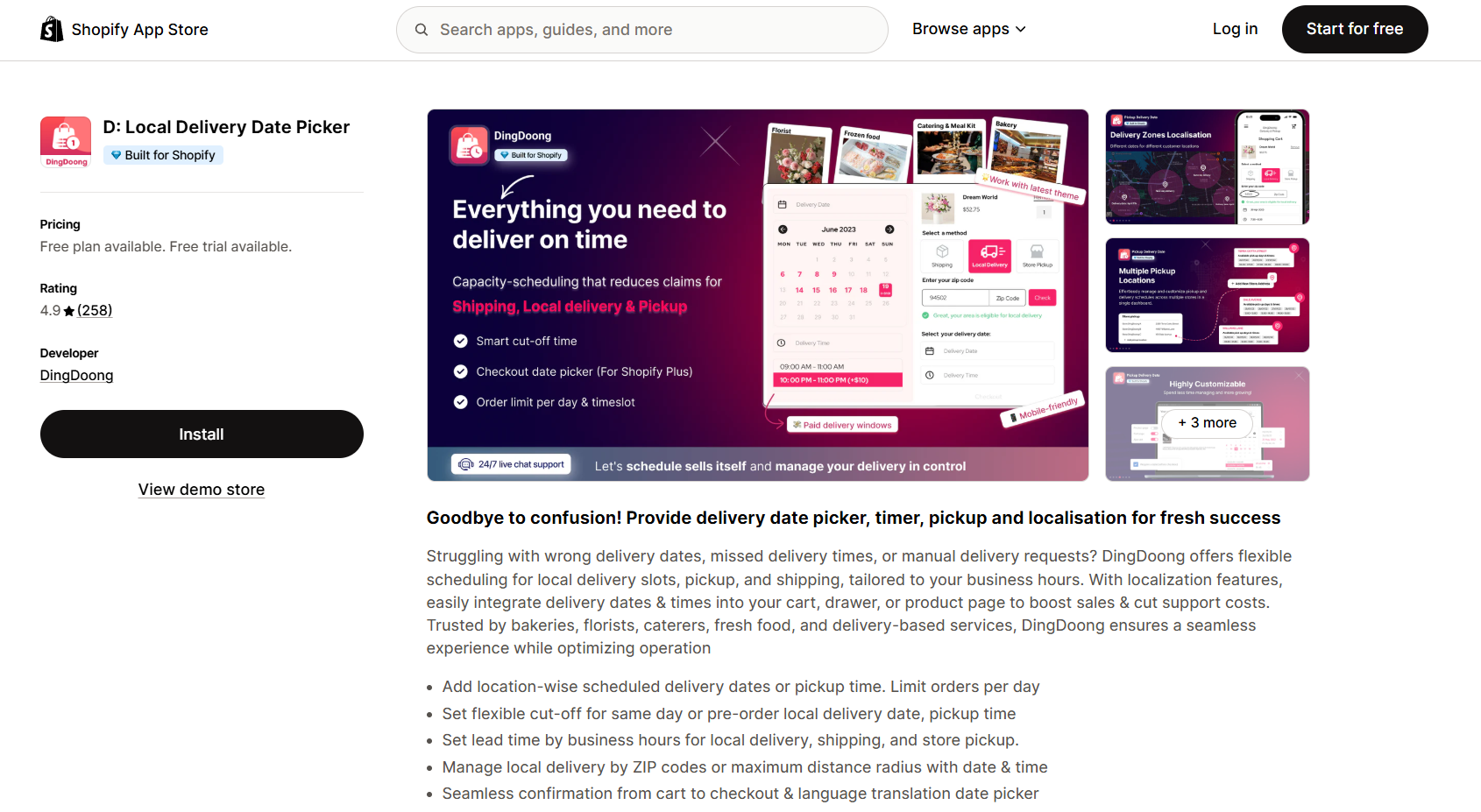
An app like DingDoong Delivery Date Picker drops a clean date and time selector onto your product page. You get per-location schedules, daily order caps, same-day cutoffs, and ZIP code rules.
This one step cuts “when can I pick this up?” emails by half for most bakeries.
Handle Customization Without Friction
For custom cakes or message cookies, add a short field for a name, color, or pickup date. Keep it to two or three fields max. Long forms scare people away.
Place Reviews Near the Buy Button
Reviews are the closer. They turn “maybe” into “yes.”
Put review stars right under the product name. Add a few photo reviews near the buy button. Real customer photos work harder than star ratings alone because they show real cakes, real boxes, real moments.
Tools like Judge.me or Trustify Reviews handle this without coding.
Test the Page on Mobile
Most bakery customers shop on their phone. If your buy button sits below the fold, or your photos load slowly, you’ll lose orders.
Open the page on your phone. Try to order it yourself. Fix anything that feels slow or confusing.
Get these basics right on your top ten sellers first. Then work through the rest of your catalog over the next month. Your Shopify baking products pages are the engine of your store. Treat them that way.
Best Shopify Bakery Website Examples
The fastest way to know what good looks like is to study bakeries already doing it well. These 6 brands run on Shopify and each shows a different model worth borrowing from.
| Brand | What They Do Well |
| Levain Bakery | Gift sets, subscriptions, build-your-own boxes, same-day shipping language |
| Magnolia Bakery | Pickup, delivery, catering, workshops, grocery line, gifting |
| Konditor | Cakes organized by delivery type, loyalty, multi-store pickup |
| Sweet E’s Bake Shop | Detailed ingredients page, custom desserts, next-day delivery |
| Lola’s Cupcakes | 40+ locations, click-and-collect lockers, loyalty at scale |
| Brooki Bakehouse | Creator brand, cookies/cakes/cookbook combo, international shipping |
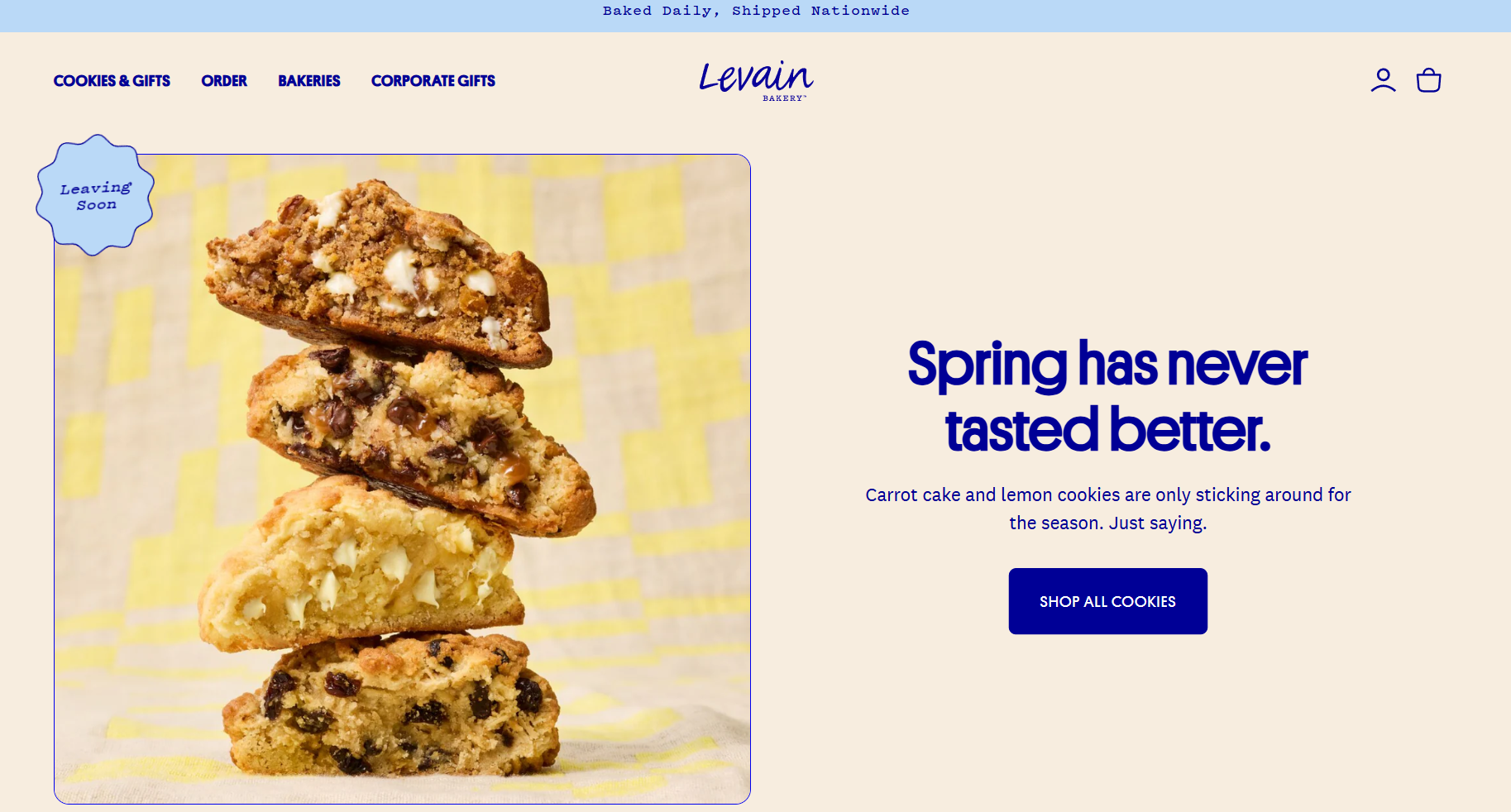
Levain Bakery leads its shop page with assortments and gift tins, not single cookies. The site pushes you toward boxes and subscriptions because those are higher-value orders. Same-day shipping is called out in plain language so customers know what to expect.
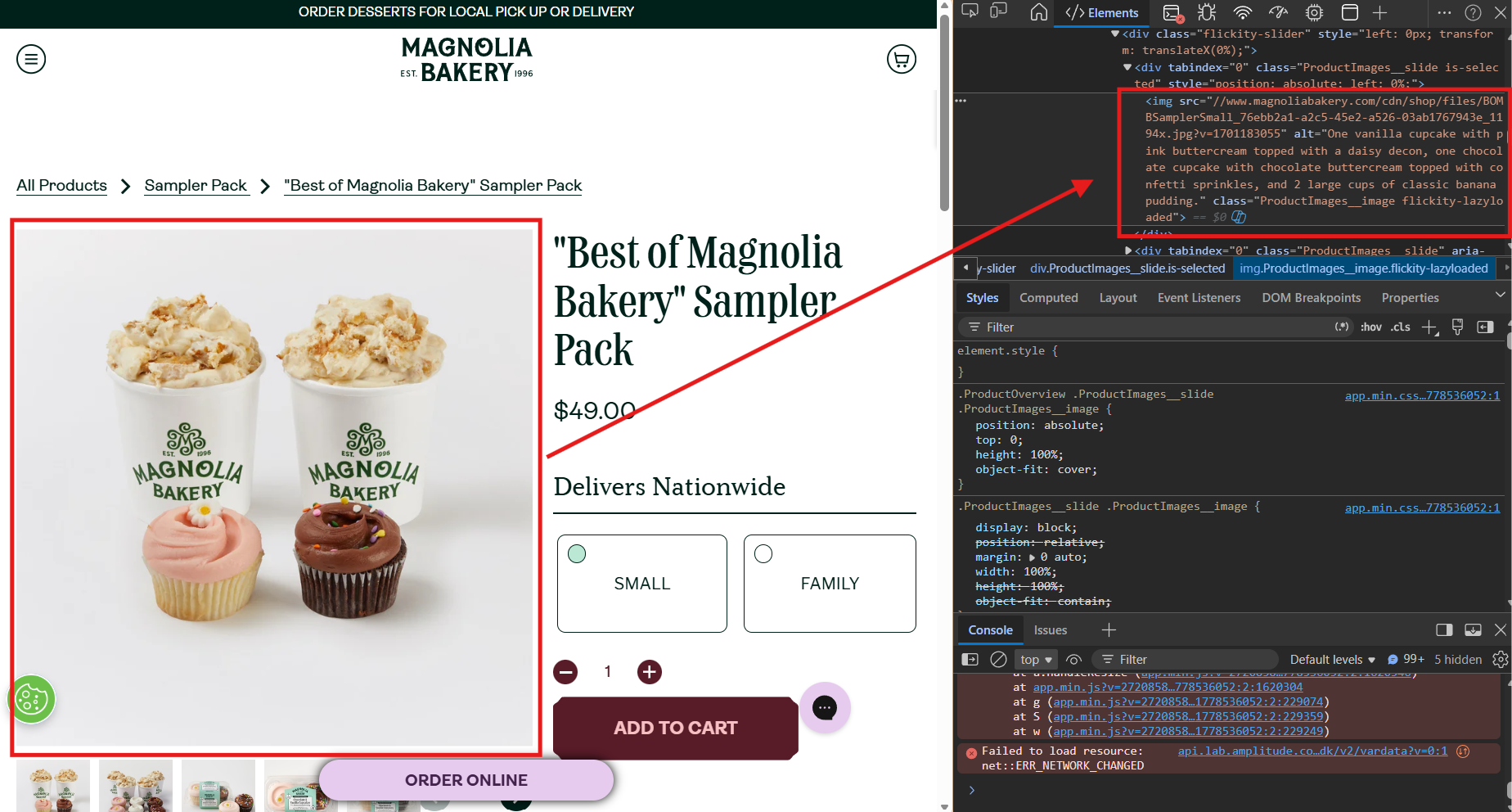
Magnolia Bakery splits its experience by fulfillment type. There’s a separate path for nationwide shipping, local pickup, catering, workshops, and grocery products. Each lane has its own pages and merchandising. The customer never has to guess if their need is supported.
Konditor sorts cakes by occasion and delivery option. London delivery, nationwide shipping, in-store collection. The whole site is built around getting cake to people the way they want it.
Sweet E’s has one of the strongest ingredient and allergen pages in the bakery space. It explains gluten cross-contact, vegan options, and kosher status all in one place. That kind of clarity cuts support emails and builds trust.
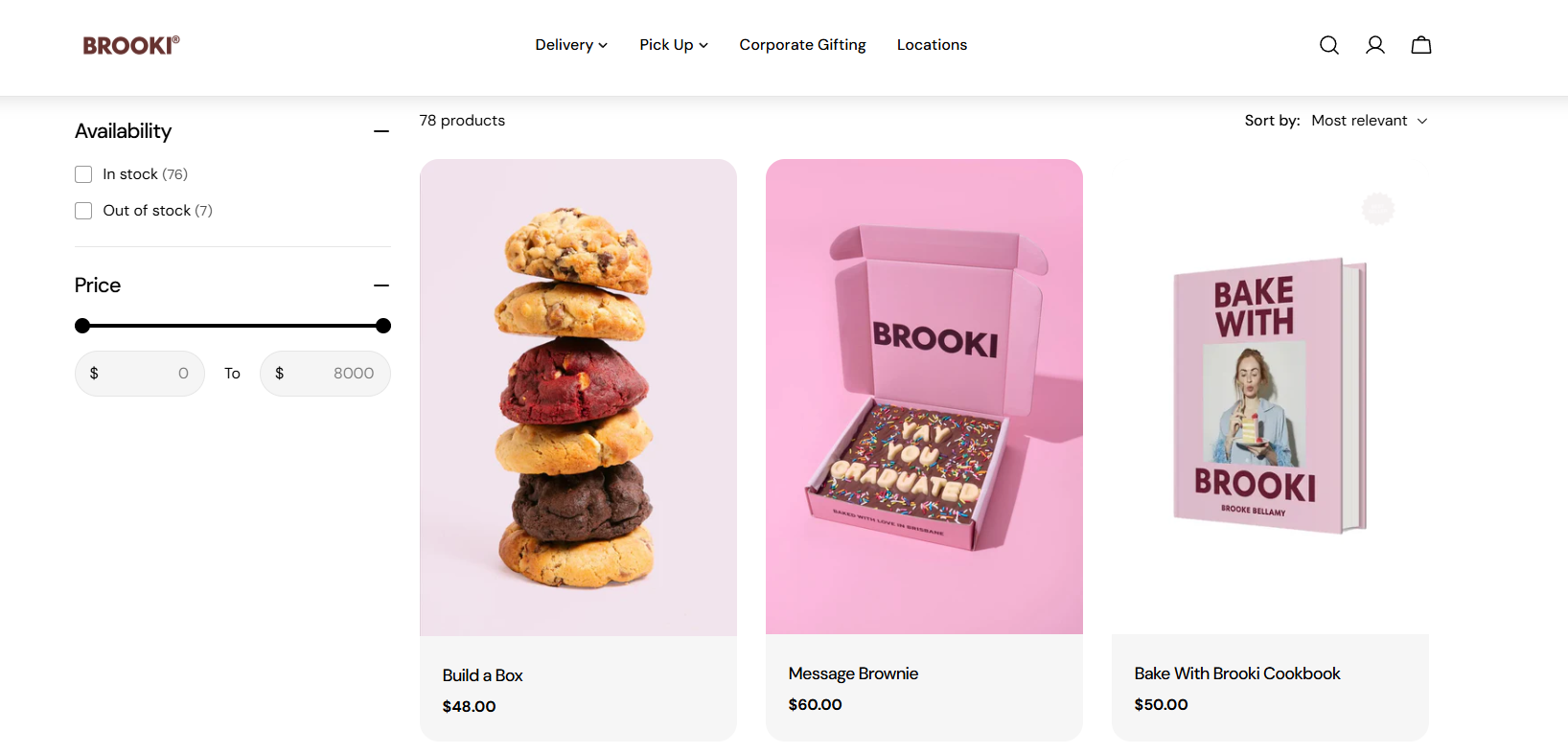
Lola’s Cupcakes and Brooki Bakehouse show how bakeries scale. Lola’s uses loyalty and 40+ locations to drive repeat business. Brooki extends a baker’s personal brand into cookies, cakes, a cookbook, and global shipping.
So, to help you build your own Shopify bakery store, we have identified what these bakery websites have in common. Look at five of the six, and we have the same patterns:
- Fulfillment options are visible early. No customer has to dig to find out if their address is covered or when an order ships.
- Products are grouped by occasion, not just type. Birthdays, holidays, corporate gifts, and weddings get their own pages.
- Bundles and gift sets sit on the homepage. Higher-value orders are pushed first.
- Ingredients and allergens get real estate. Not buried in a footer FAQ.
- Subscriptions and reorders are obvious. Repeat customers are the cheapest customers.
If your Shopify bakery website does these five things well, you’re already ahead of most.
Avoid Your Bakery’s Delivery Date Chaos First
Most Shopify bakeries handle delivery dates the same way: a notes field at checkout. Customers type when they need their order. Your team reads it. Or doesn’t.
That setup works fine until it doesn’t. Notes get missed during busy mornings. Two staff members read the same order differently. A “Saturday” turns into “this Saturday” when the customer means next week.
The bigger your bakery gets, the more cracks orders fall through. What started as the occasional mix-up turns into a weekly problem you can’t ignore.
Every wrong delivery quietly eats your margin in four ways at once.
- You lose the product. Custom cakes, fresh pastries, and gift boxes can’t be resold. Wrong dates mean refunds or remakes on your dime.
- You lose hours. Every confused order turns into back-and-forth emails, phone calls, and rescheduling. That’s time your team should be baking.
- You lose reviews. One bad delivery experience sits on Google and other seach results for years. It scares off new customers before they ever click your site.
- You lose repeat business. Bakery customers rarely risk a second miss. A failed order is often the last order they place with you.
The “we’ll figure it out manually” approach feels cheaper than an app. Then you do the math. It isn’t.
This is exactly the headache DingDoong was built to fix. The app drops a clean date and time selector right into your cart, drawer, or product page. Customers pick a slot before they pay. No more guessing in the notes field.
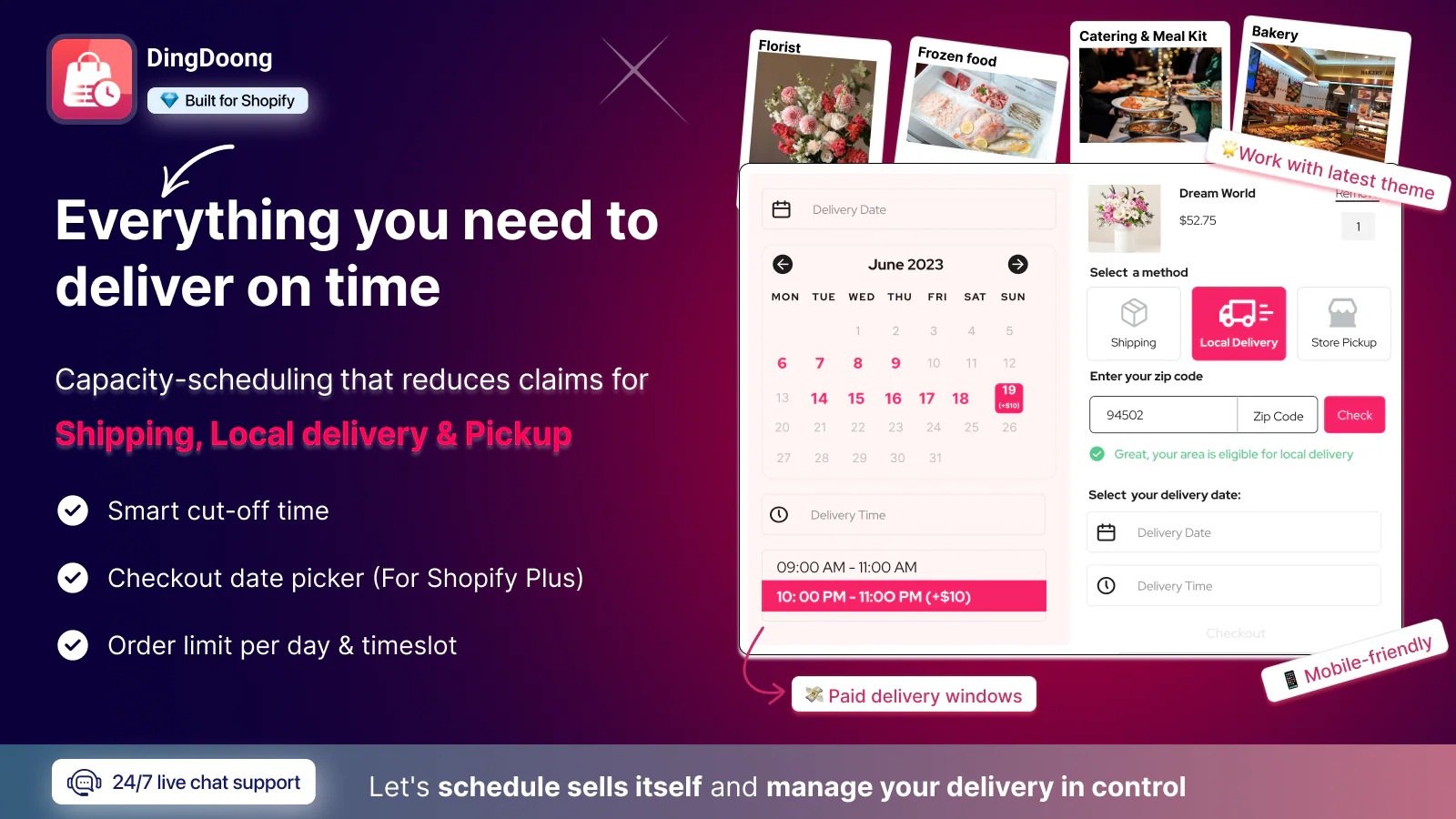
DingDoong is built for bakeries, florists, caterers, and fresh food brands – businesses where the delivery date is part of the product. The app handles the operational details that matter most:
- You can set location-wise schedules so each bakery runs on its own hours and daily order cap. A second shop with smaller capacity won’t get overloaded by orders meant for the main kitchen.
- You can set flexible cutoff times for same-day or pre-order delivery and pickup. “Order by 2 PM for tomorrow morning” is a one-line setting, not a sticky note on the register.
- You can set lead times by business hours so a Sunday order respects your real prep window, not the calendar’s. The app understands when your kitchen is open and when it isn’t.
- You can manage delivery by ZIP codes or radius with date and time logic combined. Out-of-zone customers don’t slip through. Inside-zone customers see only the slots you can actually deliver.
- You get smooth cart-to-checkout confirmation with multi-language support on the date picker. Bilingual neighborhoods and tourist-heavy areas get a smoother experience.
Paid plans start at $6.99 a month, which is well under the cost of one missed cake. There’s also a free plan to test it on one product page first. If your bakery’s headaches come from when orders go out rather than where, this is the app that fixes the right problem.
🛍️ Try DingDoong Local Delivery Date Picker now!
Enhance customer satisfaction, increase conversion rate, and optimize your operations – Enable Delivery & Pickup your Shopify store today! 📦🚚Shopify Bakery FAQs
Can I sell baked goods on Shopify?
Yes. Shopify is built for selling physical products, and baked goods fit perfectly. You can sell cookies, cakes, brownies, and gift boxes through online ordering, local pickup, local delivery, and nationwide shipping.
What’s the best Shopify theme for a bakery?
Crave is the strongest free option for food brands. For premium picks, Pesto, Local, and Takeout offer restaurant-specific features. The best theme is the one that loads fast, looks great on mobile, and shows off your photography.
How do I handle local delivery and pickup?
Shopify includes both for free. You set a delivery zone, fee, and minimum order, or a pickup location with prep time. For time slots and cutoff rules, add an app like DingDoong.
Final Thoughts
A Shopify Bakery isn’t the right fit for every food business. It’s the right fit for bakeries that sell things people order, schedule, ship, and gift. If your future includes shipping cookie tins, building a subscription box, running corporate gifting, or growing past a single counter, Shopify gives you room. Pick a free theme like Crave, add the apps you need, and put your best gift boxes on the homepage.
Stop debating whether to launch. Set up your store this week, list ten products by the weekend, and take your first online order before the month is out.
Try DingDoong Free
Add a date picker to your Shopify checkout today — no developer needed.
Start free trial →
![12 Rental Dress Business Ideas [2026 Trends Updated]](https://dingdoong.io/wp-content/uploads/2026/09/rental-dress-business-ideas.png)