Can you sell books on Shopify? Yes. You can sell books on Shopify – paperbacks, hardcovers, used books, ebooks, audiobooks, and print-on-demand titles, all from one dashboard. The real question isn’t whether Shopify works for books. It’s whether you’ll set it up right. A children’s bookshop needs different tools than a self-publishing author. A used-book operation with 10,000 titles needs different apps than a poet selling signed chapbooks. This guide walks through every step of building a Shopify bookstore, from picking a theme to handling taxes on digital downloads.
Why Shopify Works for Bookstores (And Who It Fits Best)
Books are tricky to sell online. Each title needs more metadata than most products: author, ISBN, publisher, edition, format, language, page count, age range, and sometimes condition. Customers search in messy ways, too. One reader types an author’s full name, another types just a series, and a third hunts by reading level. A good bookstore platform has to bend with all of that.
Shopify bends well. The product system supports variants for format and condition. Collections can group books by genre, author, or staff pick. The blog handles author interviews and reading guides. And digital files can be attached right to a product, so a customer who buys a hardback can grab the ebook in the same checkout.
Three types of sellers tend to land here:
- Indie bookshops selling curated new, used, or niche titles from a branded site
- Authors and small publishers want a direct channel with better margins and first-party customer data
- Digital creators selling ebooks, PDFs, audiobooks, or mixed bundles
All 3 groups can succeed on the same platform. What changes are the apps and themes you stack on top?
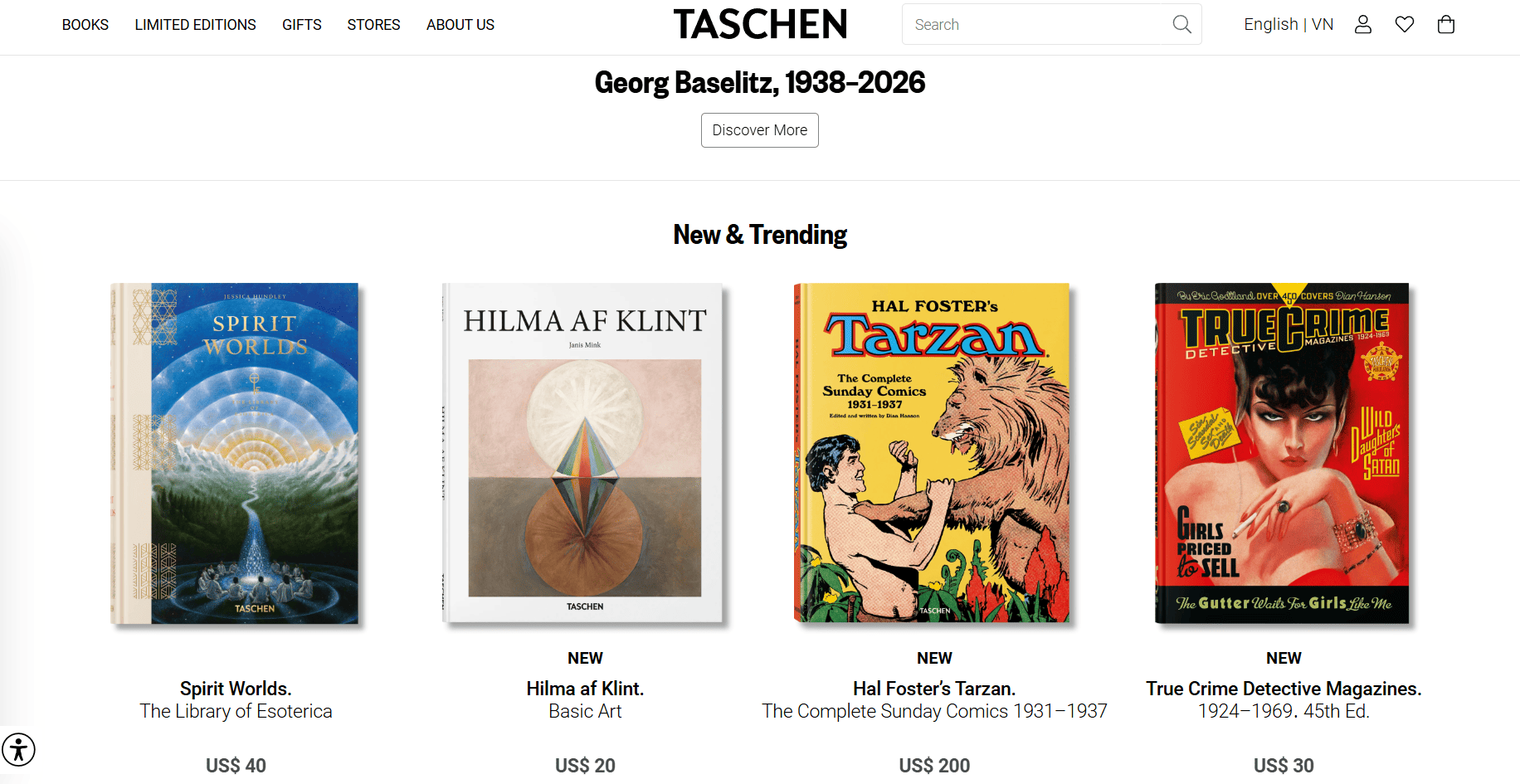
Two examples make this clear. World of Books, a used-book seller with 10 million titles and buyers in 190 countries, saw a 10% lift in sales conversions after switching to Shopify. And TASCHEN, the global art publisher, launched a new store in five months across five languages and grew sales 20% year over year. Big or small, the same platform works.
How to Set Up a Shopify Bookstore Step by Step
Most failed bookstore launches skip operational setup and jump straight into marketing. That order is backward. Get the catalog, payments, and fulfillment right first. Then drive traffic. Here’s the order that works.
Step 1: Pick the business model first
Decide whether the shop will sell new books, used books, print on demand, ebooks, or a mix. The choice shapes every later decision. A used-bookshop with unique copies needs each book entered separately. A new book store with repeating stock can use one product per ISBN and variants for format.
Step 2: Choose a theme that handles books
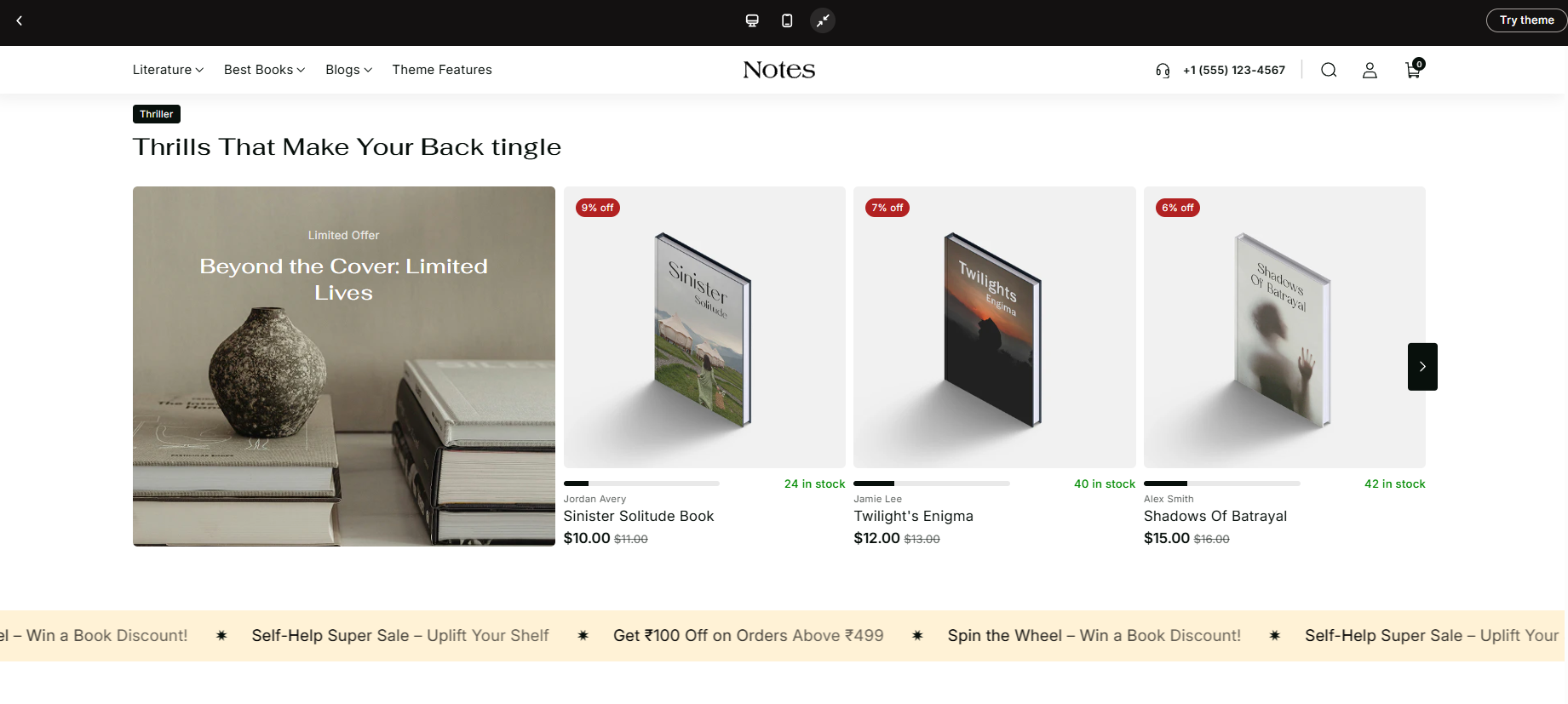
Bookstores need more than pretty product cards. Theme choice matters because bookshops live or die on the browsing experience. A reader who can’t filter by genre will leave. The table below covers five themes that handle book catalogs well, ranging from free to premium.
| Theme | Price | Best For | Book-Friendly Features |
| Dawn | Free | New bookstores and indie authors are testing the waters | Clean product pages, media-friendly, easy to customize, and blog support |
| Publisher | Free | Small curated catalogs and literary brands | Editorial feel, FAQ blocks, promo banners, recommended products |
| Notes by Sitar | $160 | Stores that want a true bookstore theme out of the box | Genre filters, author highlights, mega menu, quick view, fast search |
| Leafin by Toyo | $140 | Mixed catalogs of print, ebooks, and art books | Bookstore preset, quick cart, enhanced search, mobile-first design |
| Symmetry | $420 | Larger catalogs with many genres and frequent promos | Strong filters, sticky cart, promo tiles, customizable sections |
Free themes like Dawn and Publisher get small stores up and running fast. Spend money on a premium theme only when the free options stop scaling, usually around 200+ titles or when filters and search start feeling slow. Notes by Sitar at $160 is a good middle pick. Symmetry at $420 makes sense for larger catalogs with promo-heavy merchandising.
Step 3: Add each book with all the details
Don’t cut corners here. Every book needs the basics: title, author, ISBN, publisher, publication date, format, language, page count, and a short description in your own words.
That last part matters. If you copy the publisher’s blurb word for word, Google sees the same text on dozens of other sites and pushes your page down. A two-sentence original description beats a paragraph of recycled copy.
Step 4: Use variants only when it makes sense
A variant is a different version of the same book. Use them when you carry the same title in more than one form.
- One novel sold as paperback, hardcover, and signed edition → use variants
- One textbook sold new and used → use variants
- One unique secondhand copy → make it its own product, not a variant
The rule is simple: if you only have one copy, give it its own product page. That way it can sit in collections like “Used Hardcovers” or “Signed First Editions” without confusing the system.
Step 5: Build collections the way readers actually browse
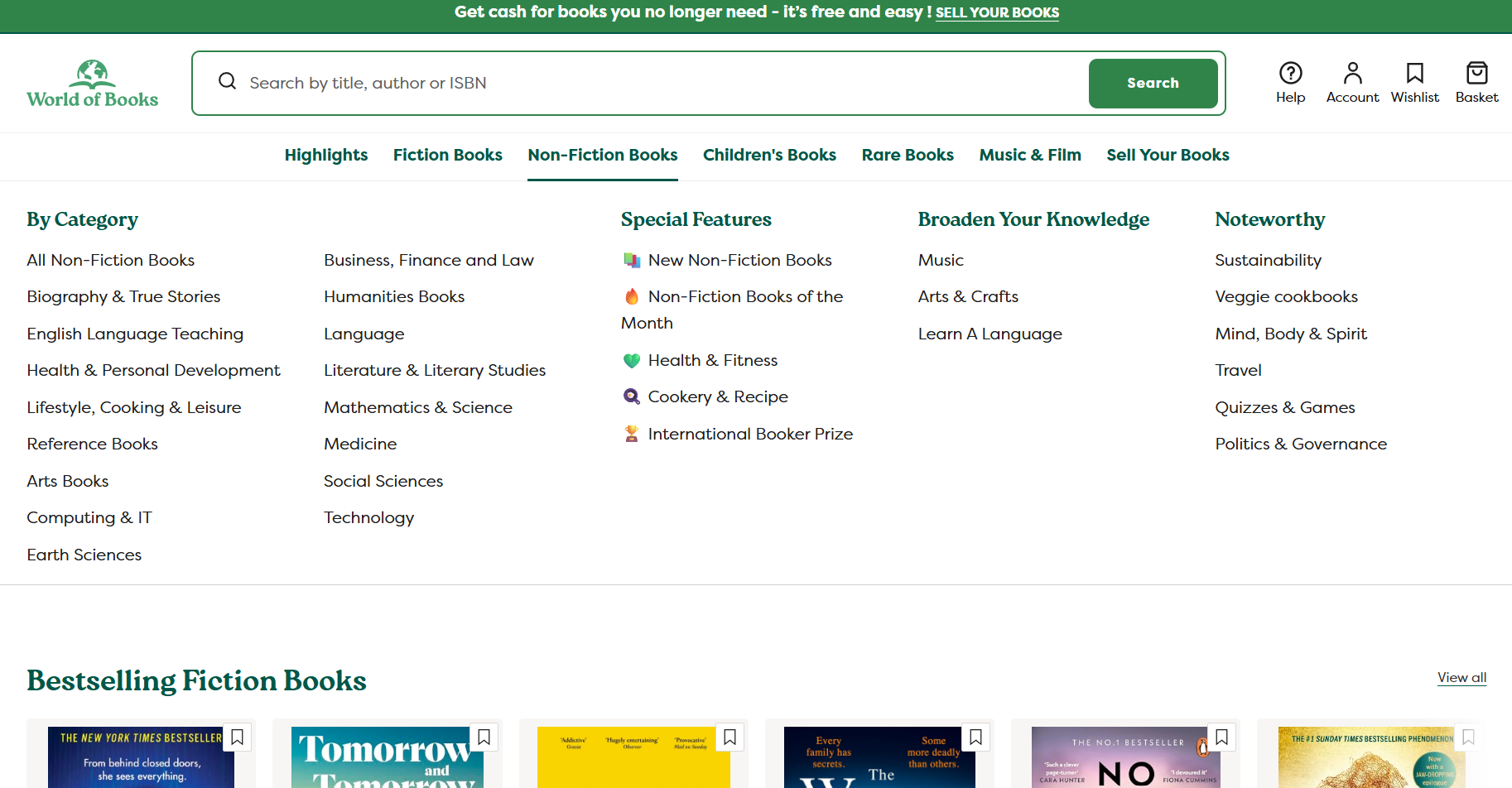
Most readers don’t search for your store. They search for an author, a genre, a series, or a vibe. Build a collection page for each of those.
The six paths that matter:
- Genre (mystery, romance, sci-fi)
- Author (their full name as the page title)
- Format (paperback, ebook, audiobook)
- Age range (kids, middle grade, YA, adult)
- Series (boxed sets, ongoing series)
- Topic or mood (cozy reads, summer beach, gift ideas)
Use manual collections for staff picks and seasonal lists you control by hand. Use smart collections for things that update on their own, like “All books by Author X” or “Everything tagged sci-fi.”
Step 6: Turn on payments and set up shipping
Use Shopify Payments if it’s available in your country. It activates Shop Pay, which lets returning customers check out in a couple of clicks, and it handles multi-currency for international buyers. Without it, every sale loses a bit extra in third-party gateway fees.
Then set up three shipping types:
- Standard postage for print books, priced by weight or as a flat rate
- Local pickup or delivery, if you have a physical shop or service area
- No shipping at all for ebooks, audiobooks, and PDFs
If you’re in the US, look into Media Mail. It’s a slower but much cheaper rate built for books, and most independent bookshops use it. For shops offering local pickup or delivery, an app like DingDoong Delivery Date Picker adds a date and time picker at checkout so readers can choose their slot upfront – no more email back-and-forth to confirm when an order should be ready.
Step 7: Test the checkout like a real customer
Before you tell anyone the store is open, place real test orders yourself.
Run through these five checks:
- One order on a desktop computer
- One order on a phone
- One order paid with Shop Pay
- One order paid with Apple Pay or Google Pay
- One mixed cart with both a print book and an ebook
After each test, confirm three things: the tax amount looks right, shipping options show up, and the ebook download link arrives in the confirmation email. If anything looks off, fix it now. The first paying customer should never be the one who finds the bug.
DingDoong Local Delivery Date Picker for Bookshops
Without a date picker at checkout, every special order becomes a note in a spreadsheet, an email thread, or a sticky note behind the counter. Pre-orders, signed copies, gift deliveries, and launch-day pickups all pile up in the same messy stack.
These moments are what indie bookshops live on. They’re also what eat the most time when the back end isn’t built for them.
A missed pickup or wrong delivery date chips away at the shop in four ways:
- Refunds and remakes when orders go to the wrong reader at the wrong time
- Hours of email back-and-forth confirming details that should have been set at checkout
- Disappointed customers who expected better
- Bad reviews that stick around long after the order is forgotten
The busier the shop gets, the worse it gets. Chaos scales with success.
DingDoong adds a clean date and time picker to the cart, drawer, or product page. Readers pick their pickup or delivery slot before they pay. No more emails, no more sticky notes, no more wrong dates.
Here’s what makes it work for bookshops:
- Location-wise scheduling for shops with more than one branch, plus daily order limits so launches don’t get oversold
- Flexible cut-off times for same-day pickup or pre-order delivery
- Lead time set by business hours, so prep time and shop hours line up with what customers see
- Local delivery managed by ZIP code or distance radius, paired with date and time slots
- Smooth flow from cart to checkout, plus a language-translated date picker for stores serving multilingual readers
Trusted by many shops, DingDoong fits indie bookstores for the same reason: the date is part of the product. A book signed on launch day isn’t the same book picked up two weeks later. If the shop runs launches, pickups, or pre-orders, this is the app that turns the chaos into a calendar.
Best for: Indie bookshops with a physical location, stores running author events or signed-copy pre-orders, and any bookseller offering local delivery within a service area.
Shipping, Payments, Taxes, and Legal Basics
Four things decide whether a bookstore runs smoothly: real shipping zones (use Media Mail in the US), Shopify Payments for Shop Pay, correct VAT on digital books, and a written returns/rights policy.
Shipping
Print books weigh more than people expect, and shipping costs add up fast. Three things to set up:
- Real shipping zones. Charge by weight or flat rate per region. One worldwide flat rate is a money-loser.
- Media Mail in the US. A slower but much cheaper postal rate built for books. Most indie bookshops use it.
- Local pickup or delivery. If you have a physical shop, turn it on. Launch-day pickups and signed-copy events are still one of the best ways indie stores build regulars.
Payments
Turn on Shopify Payments if your country supports it. It activates Shop Pay, which lets returning customers check out in about ten seconds with one tap – no card details, no shipping form. It also handles multi-currency for international readers. Without it, you’re stuck using Stripe or PayPal, and every sale loses an extra 0.5% to 2% in gateway fees on top of regular card costs.
Taxes on digital books
This is where ebook sellers trip up most often. Sell to EU customers and you have to charge VAT at the buyer’s country rate, not yours. Shopify has a setting called Charge VAT on digital goods that turns this on automatically – switch it on the first day you sell to the EU.
The UK applies a lower or zero VAT rate on most books, which helps. The US varies by state – some tax digital goods, some don’t.
The safe move: set the right product category for each book in your Shopify admin (physical book, digital book, or audiobook). Shopify applies the right rates from there. Then double-check the rules for the markets you actually sell to. A 30-minute check beats a tax letter later.
Returns and legal pages
A few things have to be in writing on your site.
EU buyers have a 14-day withdrawal period on distance purchases. They can return most items within 14 days for any reason. Digital content has extra disclosure rules: you need to tell buyers what they’re getting before they pay, and whether the download starts immediately (which can waive the withdrawal right if they agree to it).
Your returns and refund policy should live on its own page, linked in the footer. Be specific. State how long buyers have, what condition books need to be in, who pays return shipping, and how digital downloads are handled (most stores don’t refund delivered ebooks, but that has to be stated upfront).
Selling ebooks you don’t own the rights to is illegal. The rule has no grey area. Three legal paths exist:
- Original work you wrote yourself
- Public domain titles (most books published in 1930 or earlier in the US, but check your country’s rules)
- Titles licensed through formal agreements with publishers, distributors, or authors
If you can’t point to one of those three for every ebook in your store, take it down. The legal and platform risk isn’t worth it.
Shopify Bookstore FAQs
Can you sell books on Shopify without holding inventory?
Yes. Print on demand and book dropshipping both let the store list books without buying or storing them upfront. Lulu Direct handles POD printing and shipping when a customer orders. Book dropshipping apps like BooksCloud and BookSell ship from a supplier’s warehouse. Margins are tighter than self-fulfillment, but startup costs are much lower.
Is Shopify good for selling used books?
Yes, especially for curated used-book operations. Each unique copy can be its own product with condition notes. World of Books, one of the world’s biggest used-book sellers, runs on Shopify. The platform handles bulk import for stores with significant volume.
Can I sell ebooks and physical books from the same store?
Yes. Shopify supports digital and physical products side by side. A single product can have a print variant and a digital variant. The customer picks one, both, or a bundle. Digital files are delivered automatically via Digital Downloads after checkout.
Time to Open the Shop
A Shopify bookstore isn’t built in a day, and it doesn’t need to be. The shops that last are the ones that open with a focused shelf, learn from their first ten orders, and grow one collection at a time. The platform is ready. The themes, apps, and fulfillment options are sitting in the Shopify admin waiting to be turned on. The only thing left is the first book on the first shelf of your Shopify bookstore. Open the doors and let readers in.
Try DingDoong Free
Add a date picker to your Shopify checkout today — no developer needed.
Start free trial →
![12 Rental Dress Business Ideas [2026 Trends Updated]](https://dingdoong.io/wp-content/uploads/2026/09/rental-dress-business-ideas.png)