Running a store means you need a good way to ring up sales. Two big names keep coming up: Lightspeed and Shopify POS. But which one should you pick in this Lightspeed vs Shopify POS comparison?
Here’s the thing – they’re really different. Shopify started making websites for online stores. Then they added a way to sell in person. Lightspeed did the opposite. They helped stores sell in person first, then added online stuff later. This matters because it changes how each system works. Shopify is great if you want to sell online and in your store. Lightspeed is better if you just want a really good store system. Let’s break down what each one does and help you figure out which fits your business.
| Feature | Shopify POS | Lightspeed | Winner |
| Best For | Online + offline retailers | Complex retail operations | Tie (different needs) |
| Monthly Cost | Basic Shopify: $39/month POS Pro: $89/month per location Shopify: $105/month Advanced Shopify: $399/month | Basic: $89/month (annual), $109/month (monthly) Core: $149/month (annual), $179/month (monthly) Plus: $289/month (annual), $339/month (monthly) | Shopify POS |
| Payment Processing | 2.4%-2.7% | 2.6% + $0.10 | Shopify POS |
| Setup Difficulty | Very Easy (DIY) | Moderate (guided) | Shopify POS |
| Learning Curve | Minutes to hours | Days to weeks | Shopify POS |
| Inventory Management | Good (basic to intermediate) | Excellent (advanced) | Lightspeed |
| Offline Functionality | Limited (cash only) | Full functionality | Lightspeed |
| Hardware Options | iPad/phone focused | Flexible (tablets + computers) | Lightspeed |
| Hardware Cost | $49-$299 | Higher (varies) | Shopify POS |
| Online Integration | Seamless (built-in) | Basic (separate system) | Shopify POS |
| Multi-Location | Good | Excellent | Lightspeed |
| Restaurant Features | None | Comprehensive | Lightspeed |
| Customer Loyalty | Apps required | Built-in (higher plans) | Lightspeed |
| Reporting | Good | Advanced | Lightspeed |
| App Ecosystem | Massive (6,000+ apps) | Limited | Shopify POS |
| Support Quality | Good (self-service heavy) | Excellent (personal touch) | Lightspeed |
| User Reviews | 4.5/5 stars | 2.2/5 stars | Shopify POS |
| Contract | No commitment | No commitment | Tie |
| Free Trial | 14 days | Demo available | Shopify POS |
Understand Lightspeed vs Shopify
Shopify POS
Shopify POS comes bundled with Shopify’s e-commerce platform, which powers over 4 million online stores worldwide. Their approach is simple: create seamless integration between online and offline sales.
- Core Philosophy: One unified system for omnichannel retail
- Best For: Businesses selling both online and in-store
- Started: 2013 (POS launched after e-commerce success)
Lightspeed POS
Lightspeed has focused on retail management since 2005, building sophisticated inventory and operations tools for physical stores. They offer separate solutions for retail and restaurants.
- Core Philosophy: Advanced retail management with online capabilities
- Best For: Complex retail operations and food service
- Started: 2005 (retail-first approach)
Lightspeed vs Shopify POS: Basic Features
Inventory Management
Lightspeed Advantages:
- Handles complex product variations effortlessly (sizes, colors, materials)
- Advanced supplier management with 8+ million product database
- Sophisticated reorder automation and purchasing workflows
- Multi-location inventory transfers and tracking
- Built-in matrix management for fashion and variety retailers
Shopify POS Advantages:
- Simple, intuitive product setup
- Automatic sync between online and in-store inventory
- Good basic variant handling
- Real-time inventory updates across all channels
Winner: Lightspeed for complex inventory needs, Shopify POS for simplicity and omnichannel sync.
Daily Operations
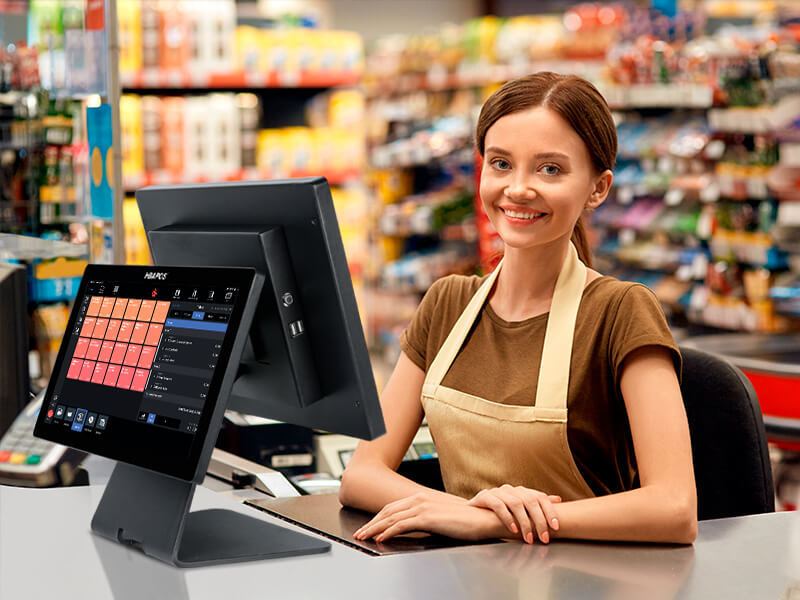
Lightspeed Strengths:
- Works offline during internet outages (full functionality)
- Advanced employee management and permissions
- Sophisticated reporting and analytics
- Built-in customer loyalty programs
- Comprehensive tax management
Shopify POS Strengths:
- Incredibly user-friendly interface
- Mobile-first design (works on phones/tablets)
- Quick staff training (most learn in minutes)
- Automatic updates and maintenance
- Seamless online store integration
Winner: Lightspeed vs Shopify POS – Shopify wins for ease of use, Lightspeed wins for advanced features.
Hardware and Setup
- iPad/iPhone/Android app-based
- POS Go device ($299) – all-in-one handheld solution
- Basic card reader ($49)
- Simple plug-and-play setup
- Staff can process sales anywhere in store
Lightspeed Hardware:
- Supports tablets AND traditional POS terminals
- More hardware options and flexibility
- Higher upfront costs
- Professional installation often required
- Better for complex checkout configurations
Winner: Shopify POS for most businesses due to lower costs and mobility.
Pricing Breakdown
Shopify POS Costs
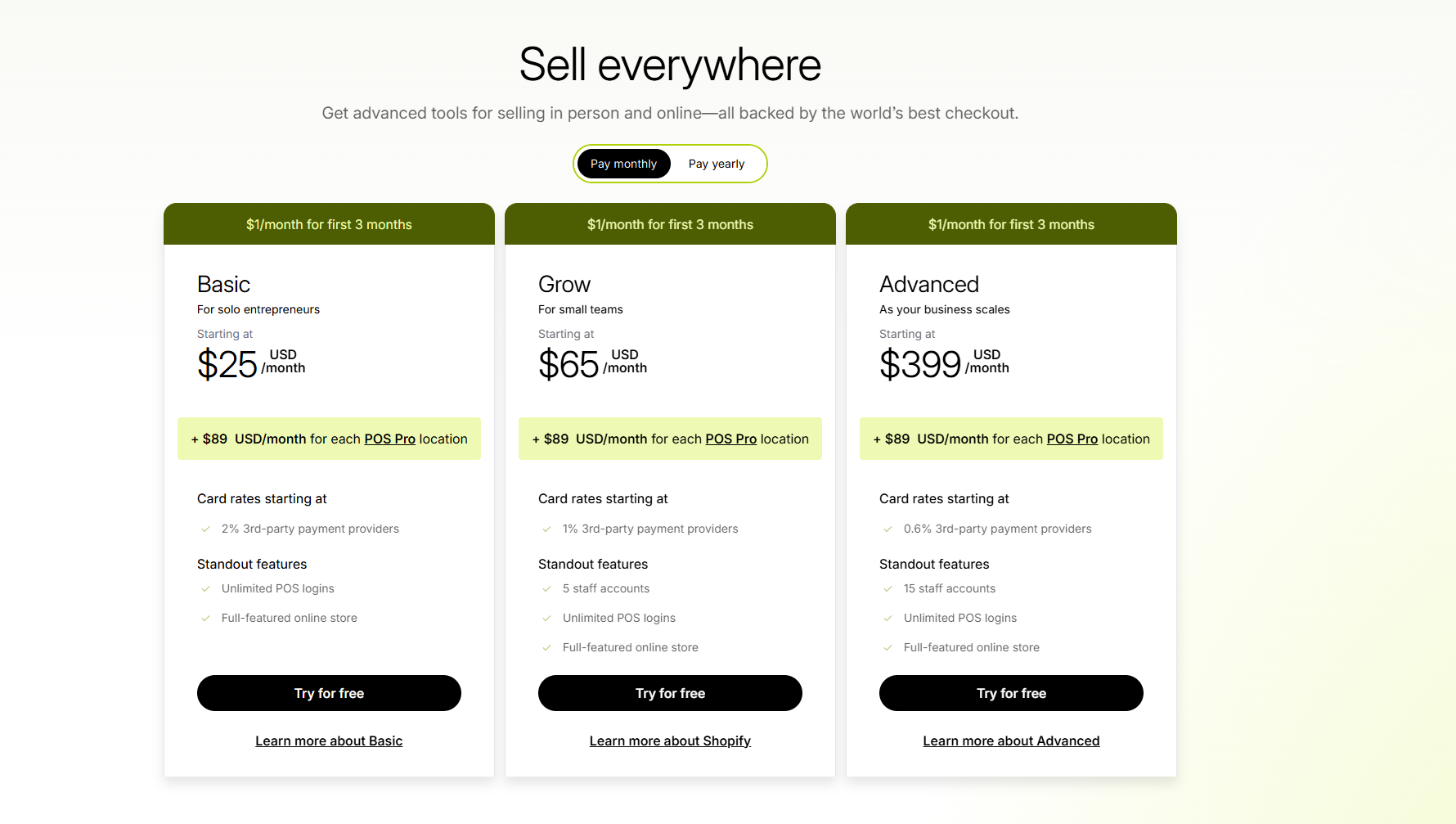
- Basic Shopify: $39/month (includes POS Lite only)
- POS Pro: $89/month per location (add to any Shopify plan for advanced POS features)
- Shopify: $105/month (online plan, POS Pro sold separately at $89/location)
- Advanced Shopify: $399/month (online plan, POS Pro sold separately at $89/location)
Payment Processing:
- Basic: 2.6% + $0.10 per in-person transaction
- Shopify: 2.5% + $0.10 per in-person transaction
- Advanced: 2.4% + $0.10 per in-person transaction
Setup: Mostly DIY with support hotline assistance
>>> Learn More: Shopify POS Pricing: Software, Hardware, & Fees
Lightspeed POS Costs
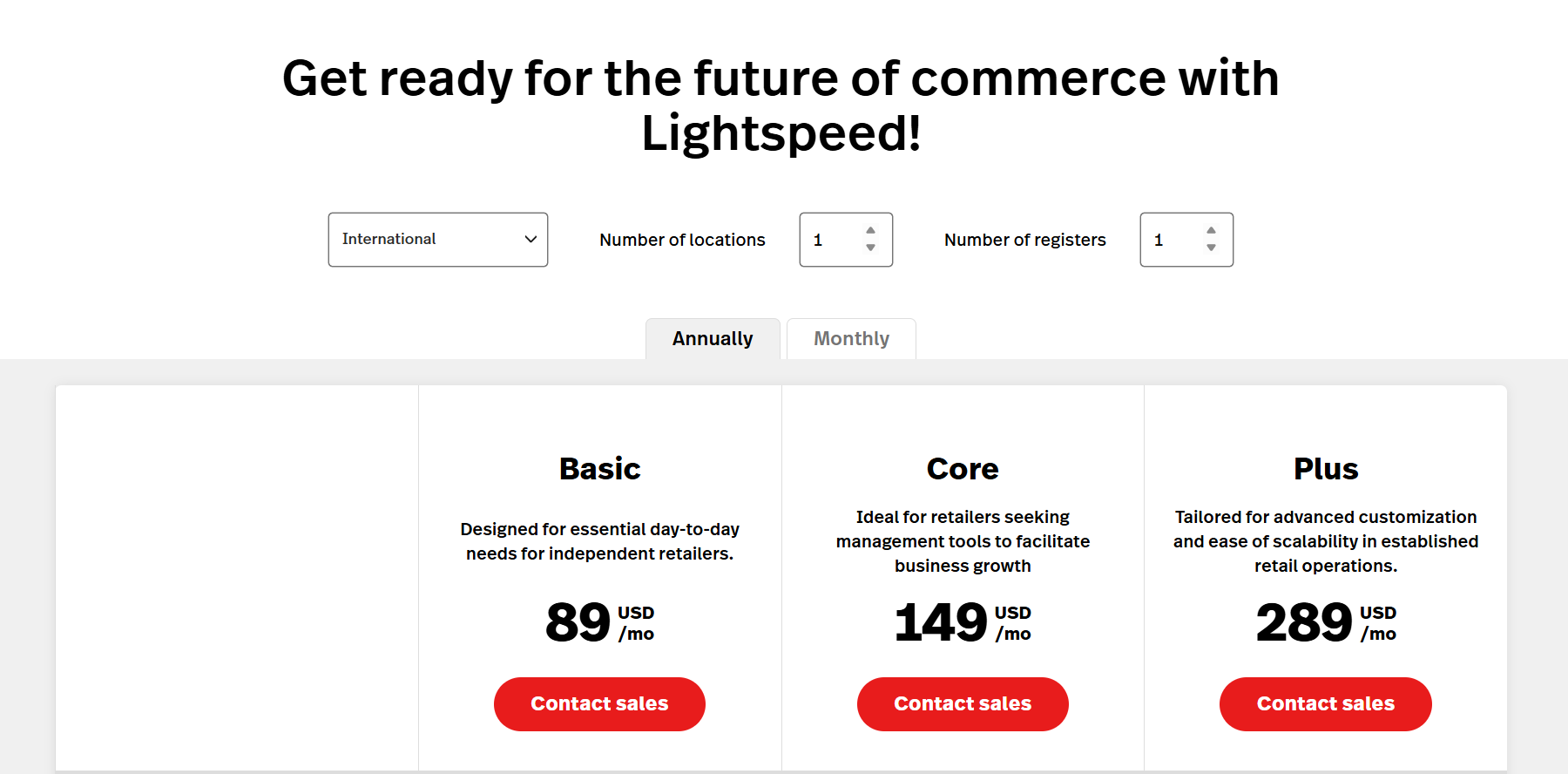
- Basic: $89/month (annual), $109/month (monthly)
- Core: $149/month (annual), $179/month (monthly)
- Plus: $289/month (annual), $339/month (monthly)
Payment Processing (Lightspeed Payments):
- 2.6% + $0.10 per card-present transaction
- 2.9% + $0.30 per card-not-present transaction
Setup: Includes professional onboarding and implementation support
Business Type Recommendations
Small to Medium Retail Stores
Choose Shopify POS if:
- You want to sell online
- Budget is a primary concern
- You need easy staff training
- Simple inventory management suffices
Choose Lightspeed if:
- You have complex inventory needs
- You want built-in loyalty programs
- Advanced reporting is important
- You prefer comprehensive training and support
Restaurants and Food Service
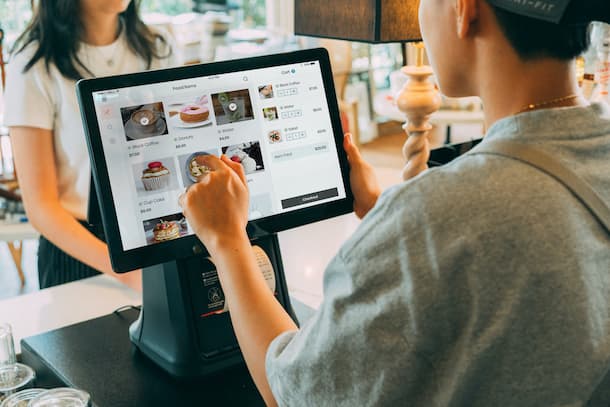
Clear Winner: Lightspeed Restaurant
- Table management and reservations
- Kitchen display systems
- Menu engineering tools
- Split billing and tip management
- Specialized food service workflows
Multi-Location Businesses
Lightspeed Advantages:
- Superior inventory management across locations
- Centralized reporting and analytics
- Inter-store transfers and balancing
- Role-based access controls
Shopify POS Advantages:
- Consistent omnichannel experience
- Centralized online/offline customer data
- Unified marketing and promotions
- Simpler staff training across locations
👉 Shopify POS for Restaurants: The Complete Guide
E-commerce Businesses Adding Physical Stores
Clear Winner: Shopify POS
- Existing Shopify stores integrate seamlessly
- Unified customer profiles and purchase history
- Consistent branding and experience
- No additional learning curve for existing Shopify users
Support and Reliability
Lightspeed Support
- Dedicated onboarding specialist
- Industry-specific training programs
- 24/7 phone and chat support
- Strong focus on retail expertise
Shopify Support
- Massive knowledge base and community
- 24/7 multilingual support
- Shopify Academy training resources
- Large ecosystem of certified experts
Reliability: Both platforms offer 99%+ uptime. Lightspeed has an offline functionality advantage.
Making Your Choice – Lightspeed vs Shopify POS?
After looking at features, costs, and ease of use, here’s how to decide:
Pick Shopify POS if:
- You want to sell online and in person
- You want something easy to use and quick to set up
- You want to spend less money, especially for one store
- You like having lots of app choices
- You already use Shopify for online sales
Pick Lightspeed if:
- You have complicated inventory needs
- You run multiple stores
- You have a restaurant or food business
- You want features built in instead of adding apps
- You want personal help and training
Reality Check: For most retail businesses, Shopify POS gives you the best mix of features, price, and ease of use. It’s especially good if you sell anything online. Lightspeed works best for bigger, more complicated retail operations and any food business. If you need their advanced features, the higher cost usually makes sense.
Enhancing Your POS with Smart Delivery Management
If you choose Shopify POS, the next step is optimizing your delivery and pickup operations. This is where DingDoong becomes invaluable for modern retailers.
POS systems handle in-store transactions well. But what happens when customers want delivery or pickup? Traditional POS systems leave a gap between order processing and fulfillment logistics.
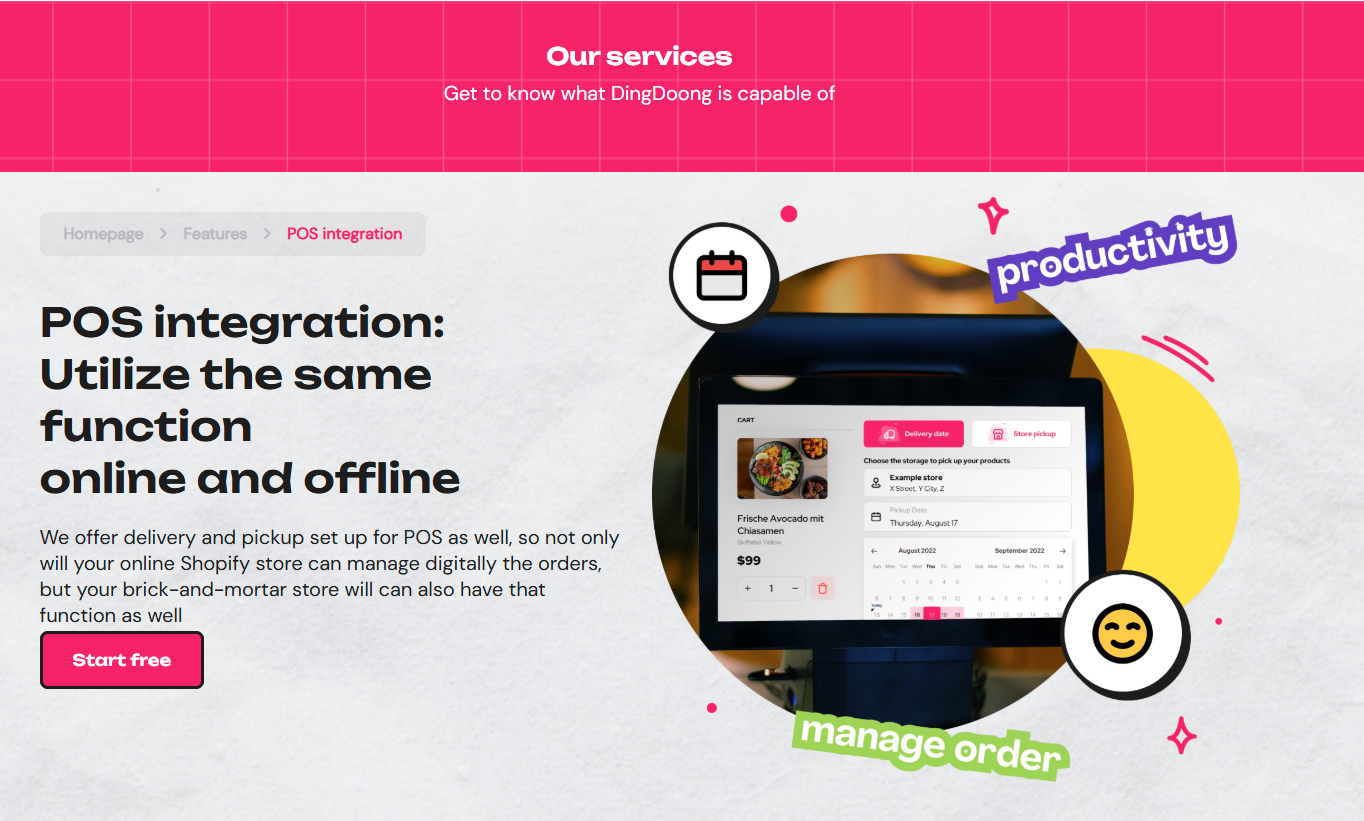
DingDoong solves this seamlessly. DingDoong helps you bridge the gap between in-store sales and flexible fulfillment options. It’s ideal for businesses operating both online and offline, supporting hybrid workflows such as in-store purchases with scheduled delivery or pickup.
What makes it work:
- Orders from both online and in-person transactions sync seamlessly into your POS and Google Calendar.
- Customers can pay in-store and choose to pick up later or schedule a home delivery at their preferred time.
- The setup supports flexible fulfillment scenarios – perfect for shoppers who want convenience without compromise.
- You streamline operations across all sales channels while improving fulfillment accuracy and clarity.
Real results: Good Time Pastry added DingDoong to their POS setup and saw 84% more revenue in five months. The owner says having everything connected made all the difference for managing busy periods.
Whether you choose Lightspeed or Shopify POS, adding smart delivery management like DingDoong helps you serve customers however they want to shop – in-store, pickup, or delivery.
Want to see how it works with your POS choice? Try DingDoong free and see the difference integrated operations can make.
Our Final Words
The Lightspeed vs Shopify POS choice depends on your actual business needs, not trends.
For the action plan, we recommend:
- Define priorities – ease vs features?
- Calculate true costs – software, hardware, apps
- Test both systems with free trials
- Plan for 3-year growth
- Ask similar business owners
Finally, Shopify POS wins on simplicity and omnichannel. Lightspeed dominates complex retail operations. Pick what solves today’s problems while enabling growth. Your customers care about fast service, not your POS choice.
Try DingDoong Free
Add a date picker to your Shopify checkout today — no developer needed.
Start free trial →