“I sold my last red dress in-store but my website still shows it’s available!” Sound familiar? Shopify POS Pro fixes retail headaches by connecting your online and physical shops. This quick guide shows what it does, what it costs, and whether your business actually needs it.
What is Shopify POS Pro?
Shopify POS Pro is the paid version of Shopify’s Point of Sale app. It helps store owners sell products in person and keep track of what’s happening in their physical shops.
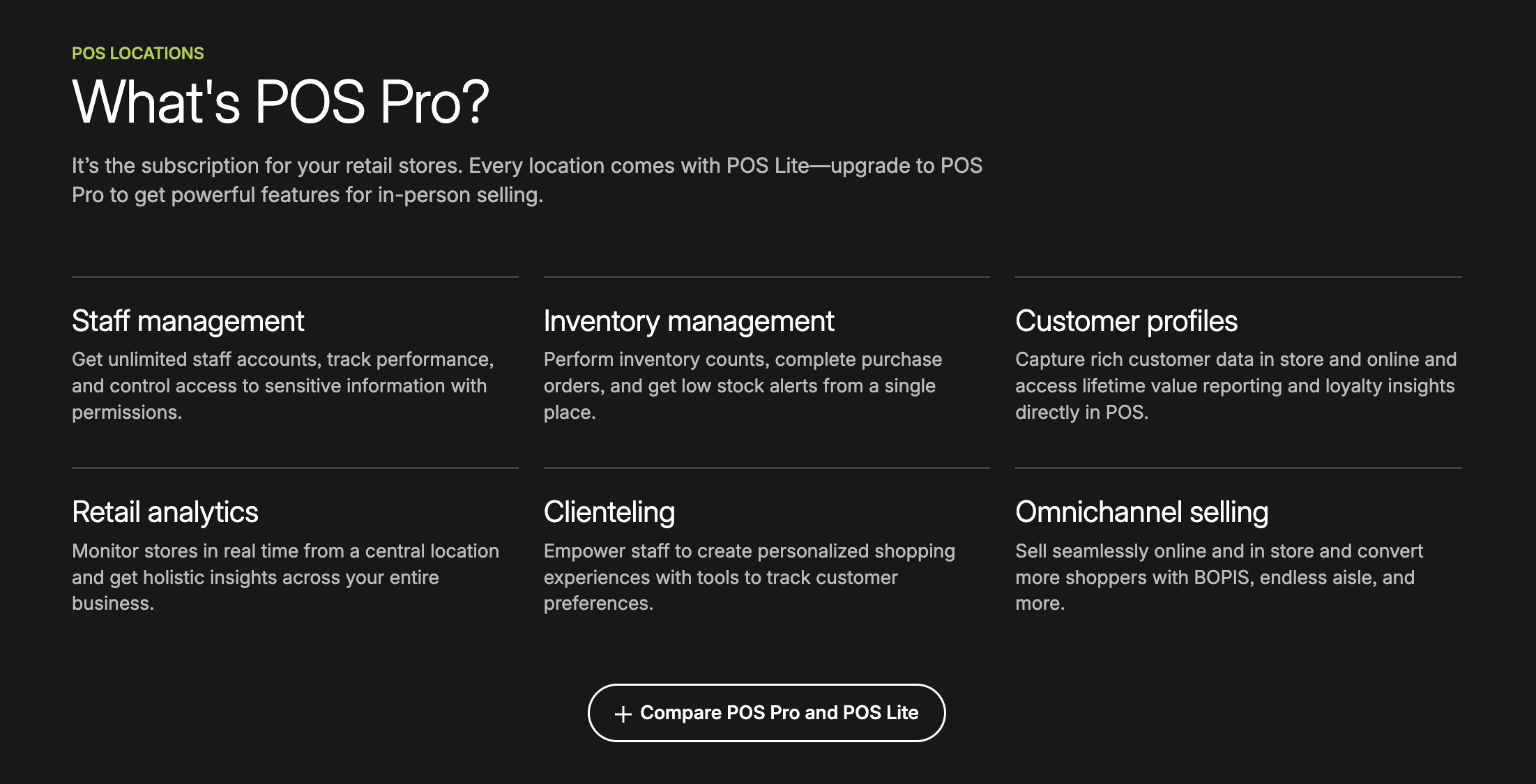
The basic version (POS Lite) comes free with all Shopify plans. But POS Pro has extra tools for bigger stores or shops with more complex needs. With POS Pro, you can:
- Track items across multiple stores
- Set up different access levels for your staff
- Let customers buy online and pick up in store
- See detailed sales reports
It’s like a command center that connects your website and your physical store, putting everything in one place.
Shopify POS Pro Features
Inventory Management
POS Pro shows you what’s in stock across all your stores and your website. When someone buys something anywhere, your inventory updates right away. You can:
- Move products between stores
- Get alerts when items are running low
- Order more stock before you run out
For example, if your downtown store is out of a popular shirt but your mall location has extras, you can easily see this and move some over.
Staff Controls
With POS Pro, you can set up different access levels for your staff:
- Cashiers might only ring up sales
- Managers can also give refunds and see reports
You can see who made each sale and who’s performing best. The system can also require manager approval for big discounts, which helps prevent mistakes. Every employee gets their own login, and these don’t count against your Shopify account limit.
Online and In-Store Connection
This is where POS Pro really shines. It connects your website and physical store:
- Customers can buy on your website and pick up items at your store
- If something is out of stock in your store, staff can ship it to the customer from another location
- Customers can return items they bought online to your physical store
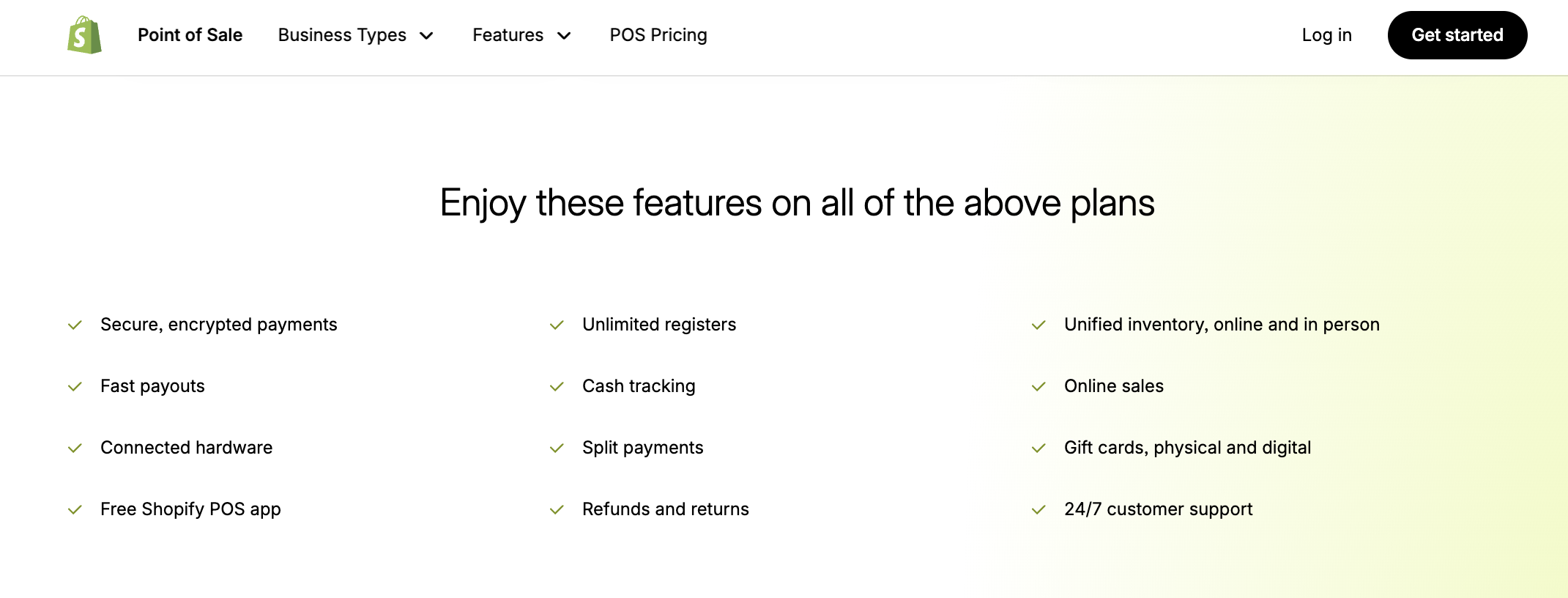
- Gift cards work both online and in your shop
- Staff can save a customer’s shopping cart and email it so they can finish shopping later online
These tools make shopping easier for your customers, no matter how they prefer to shop.
Reports and Insights
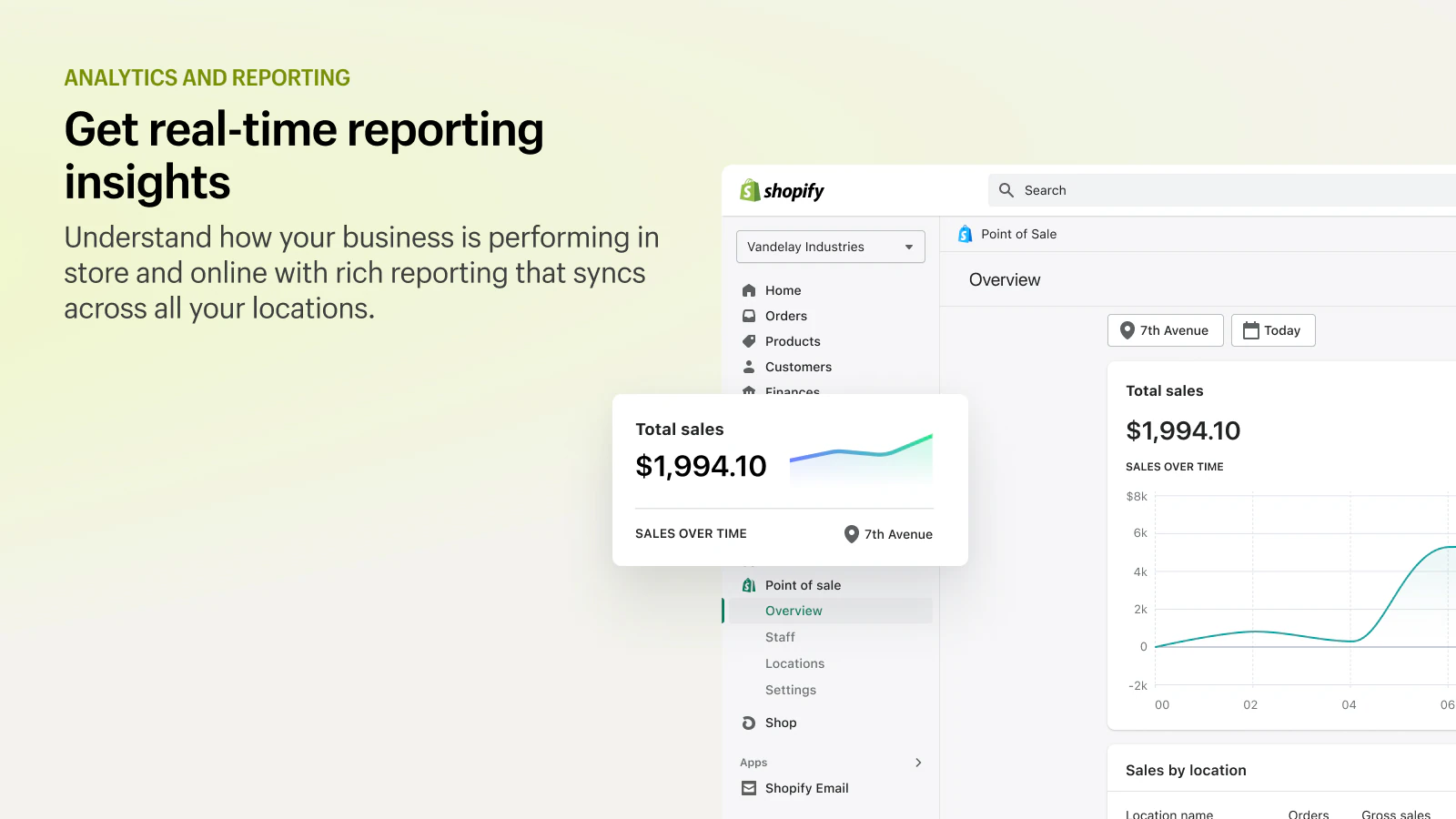
POS Pro gives you more detailed information than the free version:
- Which store is selling the most
- Who your top-selling staff members are
- Which products are selling well or sitting on shelves
- When your busy and slow times are
These reports help you make smarter choices about what to stock, when to schedule more staff, and where to focus your efforts.
Other Features
- Custom Receipts: Add your logo and store details to receipts
- Automatic Discounts: Set up sales that apply without cashiers needing to remember them
- Saved Carts: Put a sale on hold if a customer needs to grab something else
- Multiple Store Management: Run different locations from one account
- Works with Hardware: Connects to card readers, receipt printers, barcode scanners, and cash drawers
Shopify POS Pro Pricing
How much does Shopify POS cost? Shopify POS Pro costs $89 per month for each store location. This is on top of your regular Shopify subscription.
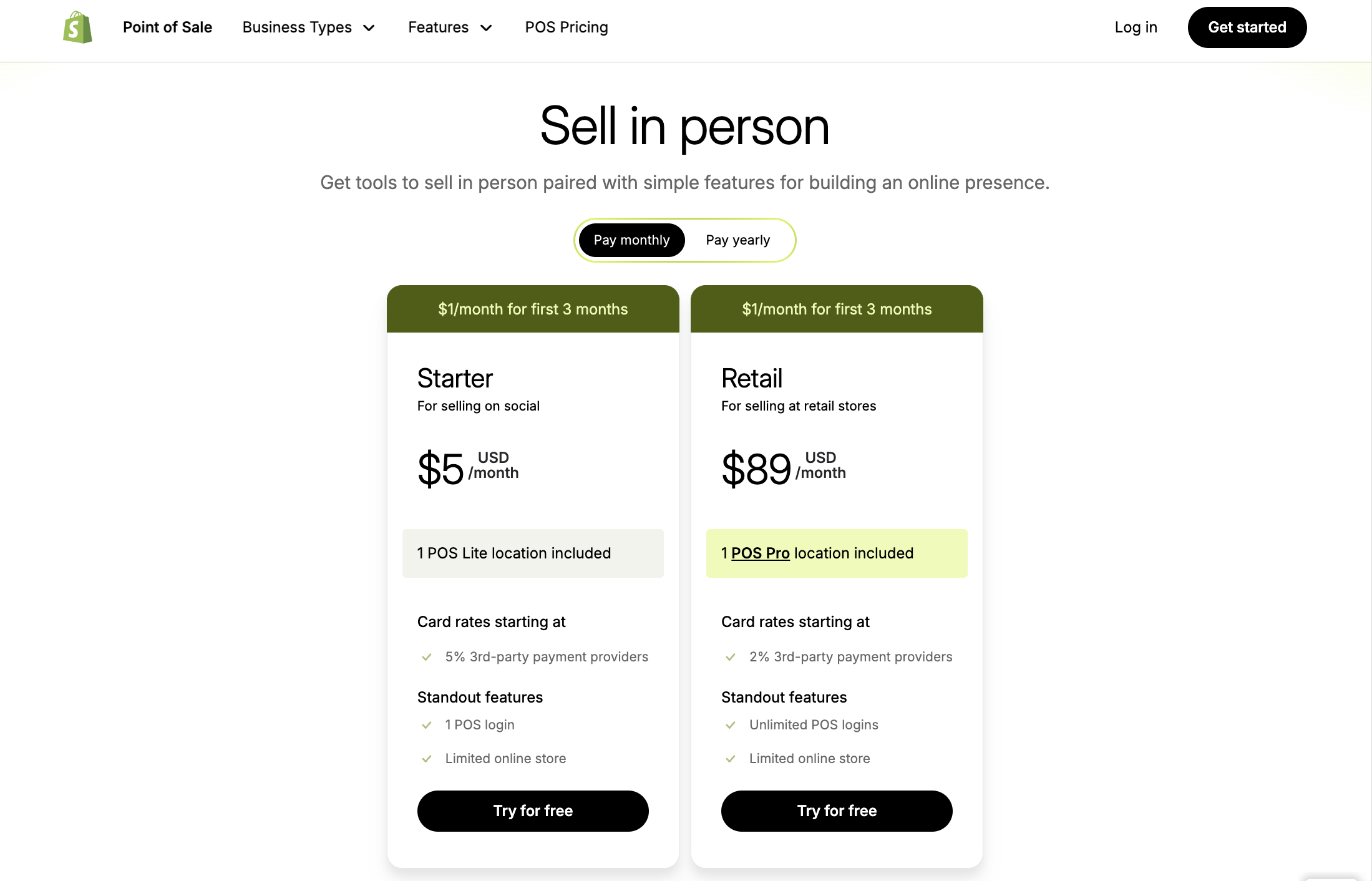
For example:
- If you have the Basic Shopify plan ($39/month) and one store using POS Pro, you’ll pay $128 total monthly
- With two stores, that’s $39 + $89 + $89 = $217 monthly
Remember, POS Lite is free with all Shopify plans. Many small shops use the free version until they really need the extra features. Shopify often lets you try POS Pro free for 14 days, and sometimes offers deals like $1 for your first month. Other costs to think about:
- Card processing fees: Around 2.4-2.7% per transaction
- Equipment costs: Card readers ($49+), receipt printers ($200-300), cash drawers ($130), and tablets are sold separately
>>> Read more: Shopify POS Pricing: Software, Hardware, & Fees [2026 Updated]
Pros and Cons of Shopify POS Pro
Before spending money on Shopify POS Pro, it’s worth weighing what you get against what it costs. Here’s a straightforward look at the good and not-so-good sides of this retail system.
Shopify POS Pro Pros
- Everything in One Place: Your products, customers, and sales stay in sync between your website and store
- Powerful Tools: Better reports and staff controls help you run things smoothly
- Room to Grow: Add as many staff and registers as you need without paying more
- Easy to Learn: Simple screens make training new staff quicker
- Good Support: Help is available 24/7 if you have problems
Shopify POS Pro Cons
- Monthly Cost: $89 per store adds up, it’s a huge cost, especially with multiple locations
- Equipment Not Included: You need to buy all hardware separately
- Requires Shopify: You can’t use POS Pro without a Shopify plan
- Missing Some Specialty Features: May lack tools for restaurants or other specific business types
- Takes Time to Set Up: Learning all the features requires some effort
Most growing retailers find the benefits worth the cost. But smaller shops might do fine with the free POS Lite until they expand.
Who Should Use Shopify POS Pro?
Not sure if Shopify POS Pro is worth $89 a month? Here’s who really benefits:
Stores That Sell Both Online and In Person
If you have a website and a physical store, POS Pro connects them both. This means:
- When someone buys something in your store, your website updates instantly
- Customers can buy online and pick up in your shop
- Returns work smoothly whether items were bought online or in-store
A local bookstore uses POS Pro to let customers order books online and pick them up later that day. This saves sales they might have lost.
Businesses With More Than One Location
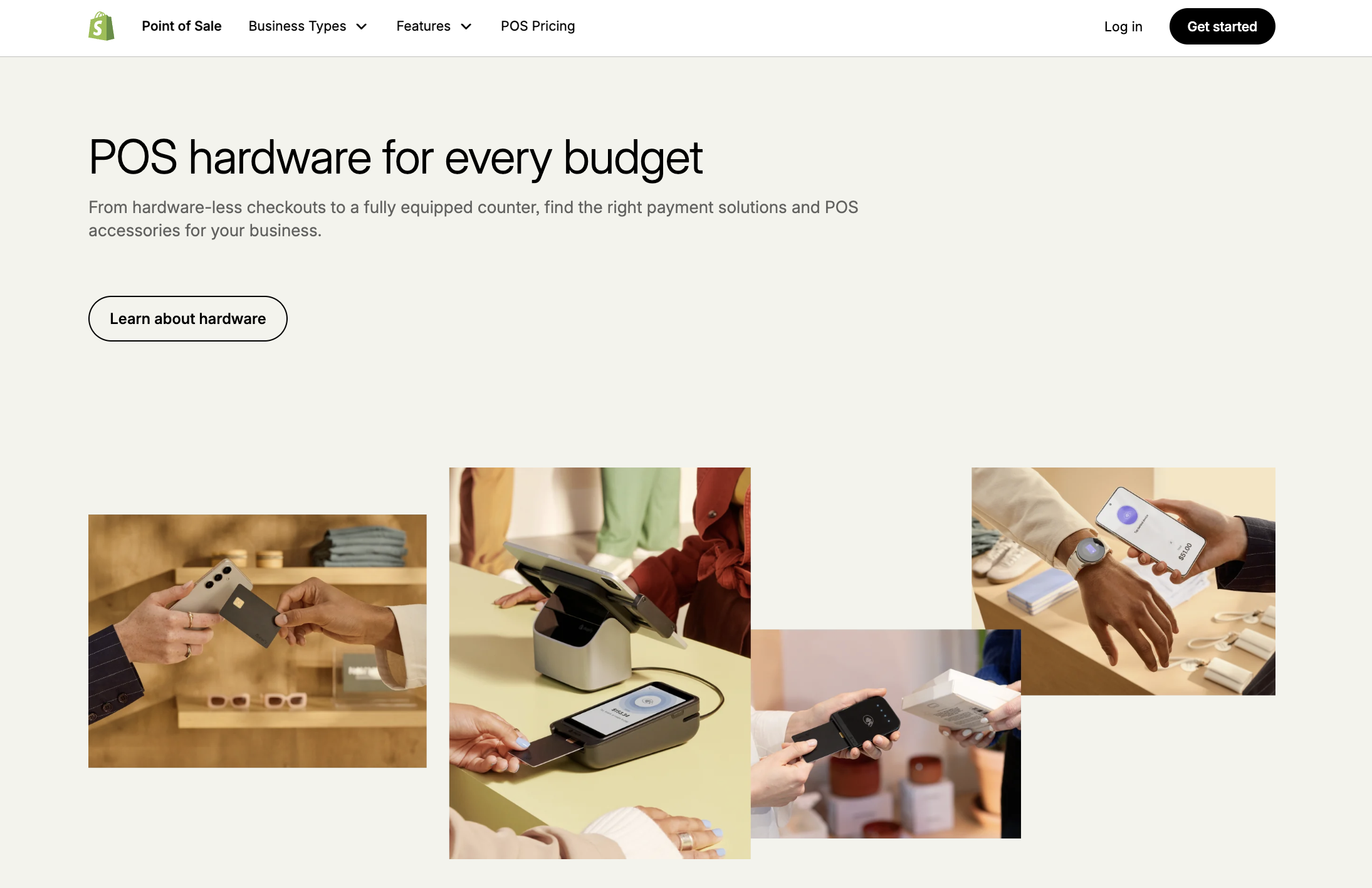
If you run multiple stores, POS Pro helps you:
- See which products are selling in each location
- Move items from one store to another when needed
- Compare which stores are doing better and why
A clothing shop owner can quickly see that downtown needs more medium shirts while the mall location has too many, then fix the problem with a few clicks.
Shops With Lots of Products
When you sell hundreds or thousands of items, POS Pro:
- Alerts you when things are running low
- Helps you reorder the right amounts at the right time
- Let staff check what’s in stock without leaving customers
A hardware store owner no longer loses sales because items are misplaced or out of stock without anyone noticing.
Store Owners Who Like Numbers
POS Pro gives you better information than basic systems:
- Which staff members sell the most
- What times of day are busiest
- Which products often sell together
This helps you make smarter decisions about scheduling, training, and what to stock.
Stores Offering Pickup or Delivery
For shops that let customers order ahead for local pickup or offer local delivery, POS Pro organizes these orders alongside regular sales, making everything run smoothly.
Who Probably Doesn’t Need It?
POS Pro isn’t for everyone. You might not need it if:
- You only sell at markets or fairs occasionally
- You have a very small shop with simple needs
- You don’t have an online store and don’t plan to add one
These businesses might do fine with the free POS Lite or a simpler system like Square. The good thing is you can start with the free version and upgrade only when your business grows enough to need the extra features.
Shopify POS Pro vs Other Systems
Shopify POS Pro vs. Square
Square is popular because its basic POS is free – you just pay when you make sales. It’s perfect for very small businesses or people who sell occasionally.
The big difference: If you already use Shopify for your website, POS Pro connects everything automatically. With Square, you’d need to manage two separate systems or use tools to sync them, which can be tricky.
Square has fewer features unless you pay for add-ons.
Shopify POS Pro vs. Lightspeed
Lightspeed is made for established retail stores and costs about $69-79 monthly per register.
The main difference: Lightspeed is separate from Shopify. If you want to connect your online and in-store sales, you’d need to link Lightspeed to Shopify or use Lightspeed’s own website tools.
Lightspeed might be better for stores with very complex inventory needs, but Shopify POS Pro makes it easier to sell both online and in person.
Bottom Line
Shopify POS Pro links your website and physical store together. The $89 monthly cost is real money, but most shop owners find it pays off through better stock control, happier customers, and less time spent on paperwork.
If you already use Shopify online and want to improve your in-store sales, take a look at POS Pro. Your customers can shop however they want, and you can see all your business in one place. The smart move? Start with the free POS Lite and only upgrade when you truly need the extra tools. This way, you only pay for POS Pro when your business has grown enough to really use it.
Read More: Shopify POS Lite vs Pro: Key Features, Pricing, Pros & Cons
Try DingDoong Free
Add a date picker to your Shopify checkout today — no developer needed.
Start free trial →
![12 Rental Dress Business Ideas [2026 Trends Updated]](https://dingdoong.io/wp-content/uploads/2026/09/rental-dress-business-ideas.png)